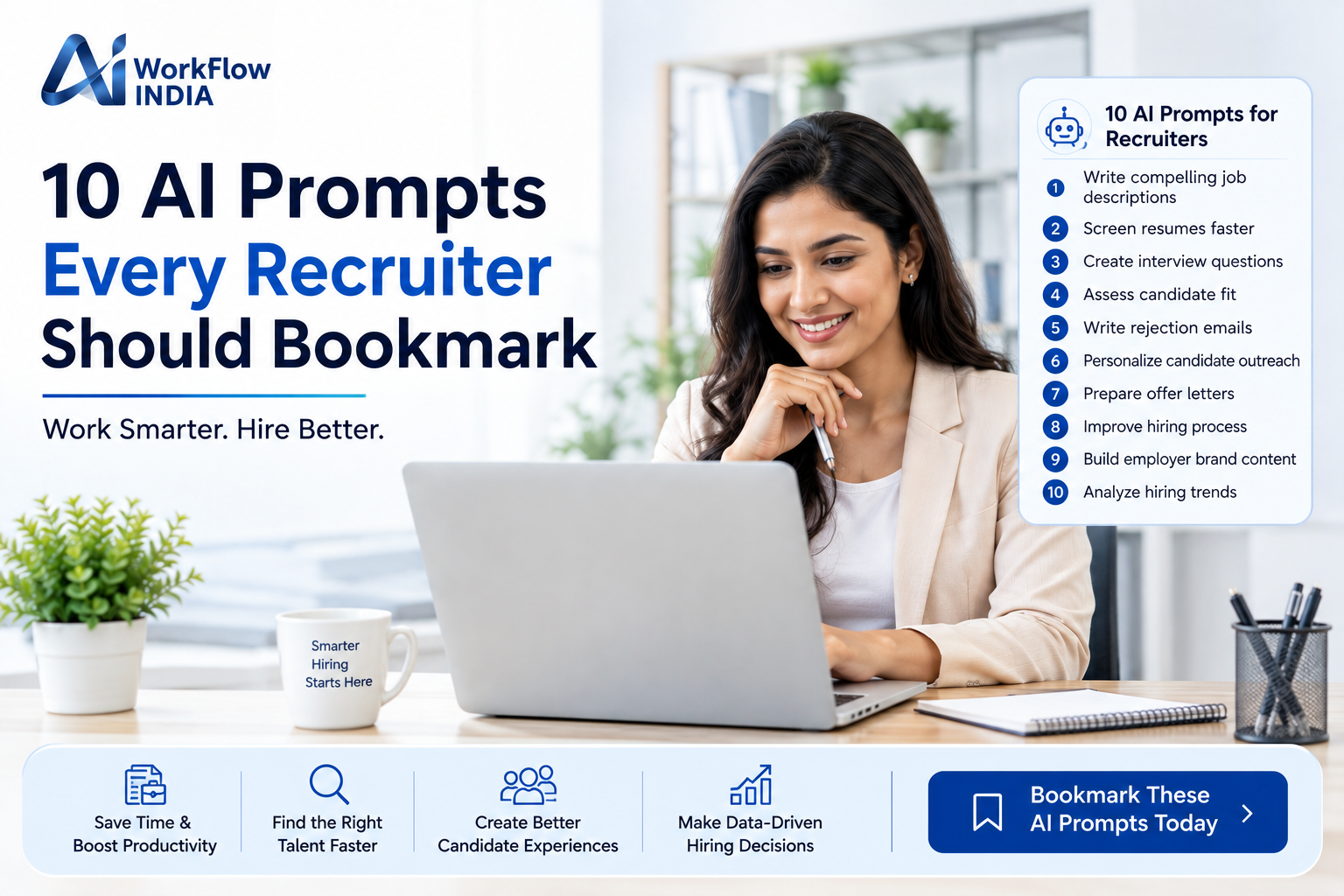
10 AI Prompts Every Recruiter Should Bookmark

Let’s be honest. Recruiting in 2024 feels like running a marathon while juggling flaming torches. You’re screening hundreds of resumes, scheduling interviews, and trying to find that perfect candidate before your competition does. Sound familiar?
Here’s the good news. AI prompts for HR are changing the game completely. Smart recruiters are using artificial intelligence to cut their workload in half while actually improving their hiring outcomes. The secret? Knowing exactly what to ask.
I’ve spent years helping HR teams integrate AI into their workflows. And I’ve noticed something interesting. The difference between recruiters who love AI and those who struggle with it comes down to one thing: having the right prompts ready to go.
Today, I’m sharing the exact AI prompts that top recruiters swear by. Bookmark this page. You’ll thank me later.
Why AI Prompts Matter for Modern Recruiters
Before we dive into the prompts, let’s talk about why this matters. The recruiting landscape has shifted dramatically. Candidates expect faster responses. Hiring managers want better matches. And you? You need to do more with less time.
AI-powered recruiting tools can help, but only if you know how to communicate with them effectively. Think of prompts as instructions you give to a very capable assistant. The clearer your instructions, the better the results.
Using well-crafted HR automation prompts helps you:
- Write job descriptions that attract qualified candidates
- Screen resumes faster without missing great talent
- Create interview questions that reveal true potential
- Communicate professionally with candidates at scale
- Make data-driven hiring decisions
Ready to transform your recruiting process? Let’s get into the prompts.
Prompt 1: Crafting Compelling Job Descriptions
Great job descriptions attract great candidates. But writing them from scratch every time? That’s exhausting. Here’s a prompt that works wonders:
“Write a job description for a [job title] at a [company type]. Include responsibilities, required qualifications, and preferred skills. Make it engaging and inclusive. Highlight growth opportunities and company culture. Keep it under 600 words.”
This prompt gives AI clear boundaries while leaving room for creativity. The result? Job postings that actually get clicks and applications from qualified people.
Prompt 2: Screening Resume Summaries
When you’re staring at 200 resumes, you need help prioritizing. This AI prompt for talent acquisition creates quick summaries:
“Analyze this resume and provide a brief summary including: key skills, years of relevant experience, notable achievements, and potential concerns. Rate the candidate’s fit for [job title] on a scale of 1-10 with explanation.”
This doesn’t replace your judgment. It enhances it. You still make the final call, but now you have organized information to work with.
Prompt 3: Generating Behavioral Interview Questions
Generic interview questions get generic answers. Behavioral questions reveal how candidates actually perform. Try this:
“Create 8 behavioral interview questions for a [job title] position. Focus on [specific skills or competencies]. Include follow-up questions for each. Format them using the STAR method framework.”
The questions you get will dig deeper than “tell me about yourself” ever could.
Prompt 4: Writing Personalized Outreach Messages
Cold outreach to passive candidates is an art. Most messages get ignored because they feel robotic and impersonal. This prompt fixes that:
“Write a personalized LinkedIn message to recruit a [job title] who currently works at [company type]. Mention their likely experience with [specific skill]. Keep it under 150 words. Sound genuine, not salesy. Include a clear but soft call to action.”
Candidates can spot copy-paste messages instantly. AI helps you personalize at scale without losing authenticity.
Prompt 5: Creating Candidate Rejection Emails
Rejecting candidates gracefully matters. Your employer brand depends on it. Here’s a thoughtful approach:
“Write a professional but warm rejection email for a candidate who interviewed for [job title]. Thank them sincerely. Provide brief constructive encouragement without false promises. Leave the door open for future opportunities. Keep it under 120 words.”
Even candidates you don’t hire should walk away with a positive impression of your company.
Prompt 6: Building Structured Interview Scorecards
Consistent evaluation reduces bias and improves hiring quality. If you’re looking to implement AI-driven recruitment strategies, this prompt is essential:
“Create an interview scorecard for evaluating [job title] candidates. Include 6 key competencies relevant to this role. For each competency, provide a 1-5 rating scale with behavioral descriptions for each level. Add space for interviewer notes.”
This brings structure to a process that often feels subjective. Your hiring team will make better decisions together.
Want to take your HR team’s AI skills to the next level? Check out our comprehensive AI training for HR professionals to learn advanced techniques for implementing these tools effectively.
Prompt 7: Summarizing Candidate Interviews
After back-to-back interviews, details blur together. This prompt helps you capture key takeaways:
“Based on these interview notes, create a structured summary including: candidate strengths, areas of concern, cultural fit assessment, and recommended next steps. Highlight any red flags or standout moments. Keep the summary concise but comprehensive.”
Documentation becomes easier when AI organizes your raw notes into actionable insights.
Prompt 8: Developing Onboarding Communication Plans
Hiring doesn’t end with an offer letter. The first 90 days determine whether new hires thrive or leave. Use this:
“Create a 30-60-90 day onboarding communication plan for a new [job title]. Include welcome messages, check-in points, training milestones, and team introduction schedules. Make it feel personal and supportive.”
Strong onboarding communication shows new employees they made the right choice.
Prompt 9: Analyzing Compensation and Market Data
Staying competitive with salary offers requires market awareness. This prompt helps frame the conversation:
“Help me prepare a salary benchmarking summary for [job title] in [location/industry]. Include factors I should consider when determining compensation. Suggest questions to research. Outline how to present findings to hiring managers.”
While AI can’t access real-time salary databases, it can help you structure your research and presentation.
Prompt 10: Creating Diversity-Focused Recruitment Strategies
Building diverse teams requires intentional effort. This AI prompt for HR professionals helps you think strategically:
“Suggest 10 actionable strategies to improve diversity in recruiting for [industry/role type]. Include sourcing channels, language recommendations for job postings, and interview process improvements. Focus on practical steps we can implement immediately.”
Diversity isn’t just good ethics. It’s good business. AI helps you move beyond good intentions to real action.
Tips for Getting Better Results from AI Prompts
Having great prompts is step one. Using them effectively is step two. Here’s what I’ve learned works best:
Be specific about context. Tell AI about your company size, industry, and culture. Generic inputs produce generic outputs.
Iterate and refine. Your first result won’t always be perfect. Ask AI to adjust the tone, length, or focus. Treat it like a conversation.
Add your human touch. AI creates drafts. You add personality, company knowledge, and judgment that only you have.
Stay compliant. Always review AI outputs for potential bias or problematic language. You’re still responsible for what goes out.
Keep learning. AI prompts for HR evolve constantly. What works today might need updating tomorrow. Stay curious and experiment often.
The Future of AI in Recruitment
We’re just scratching the surface of what’s possible. Artificial intelligence in hiring will continue advancing. Recruiters who embrace these tools now will have a significant advantage.
But here’s what won’t change. Hiring is fundamentally about human connection. AI handles the repetitive tasks so you can focus on what matters most: building relationships with candidates and making thoughtful decisions about who joins your team.
The best recruiters I know don’t see AI as a threat. They see it as a partner that amplifies their abilities. These 10 prompts are your starting point. Customize them. Experiment with them. Make them your own.
Your future self—the one who’s not drowning in administrative tasks—will be grateful you took the time to learn this now.
Frequently Asked Questions
Can AI prompts really improve my recruiting efficiency?
Absolutely. Recruiters using AI prompts for HR tasks report saving 5-10 hours weekly on activities like writing job descriptions, screening resumes, and drafting communications. The key is starting with well-designed prompts and refining them based on your specific needs.
Are there risks to using AI in the hiring process?
Yes, and awareness is important. AI can sometimes reflect biases present in its training data. Always review outputs for potentially discriminatory language or assumptions. Use AI as a tool to assist your decision-making, never as the sole decision-maker in hiring.
How do I get started with AI recruiting tools if I’m new to this?
Start simple. Pick one or two prompts from this list that address your biggest pain points. Practice using them until you feel comfortable. Then gradually expand. Most recruiters find that job description writing and candidate outreach are great places to begin.
“`
—
**For Rank Math Meta Post:**
**Title:** 10 AI Prompts Every Recruiter Should Bookmark
**Meta Description:** Discover 10 powerful AI prompts for HR that help recruiters write better job posts, screen candidates faster, and streamline hiring workflows.
**Meta Keywords:** AI prompts HR, AI prompts for recruiters, HR automation prompts, artificial intelligence hiring, AI recruiting tools, talent acquisition AI
Related resources
- Explore our AI Training for HR Teams.
- More guides in AI for Industries.