Canva AI for Marketing Teams

Your marketing team just received a request for 50 social media graphics, 10 email banners, and a complete brand refresh all due by Friday. Sound familiar? This is where Canva AI steps in as your secret weapon, turning what used to be weeks of work into hours of creative flow.
Marketing teams around the world are discovering that artificial intelligence isn’t here to replace creativity it’s here to amplify it. With Canva AI tools now integrated directly into one of the most popular design platforms, teams of all sizes can produce professional-quality content faster than ever before. Whether you’re a startup with a two-person marketing department or an enterprise team managing global campaigns, understanding how to leverage these AI-powered features can completely transform your output.
Let’s dive into everything your marketing team needs to know about using Canva’s artificial intelligence features to work smarter, not harder.
What Makes Canva AI Different for Marketing Professionals
You’ve probably heard about AI design tools popping up everywhere. So what sets Canva’s approach apart for marketing teams specifically?
The answer lies in integration. Rather than forcing you to learn an entirely new platform or juggle multiple tools, Canva AI features are built directly into the workflow you already know. This means your team can start benefiting immediately without a steep learning curve.
Here’s what marketing teams are loving most:
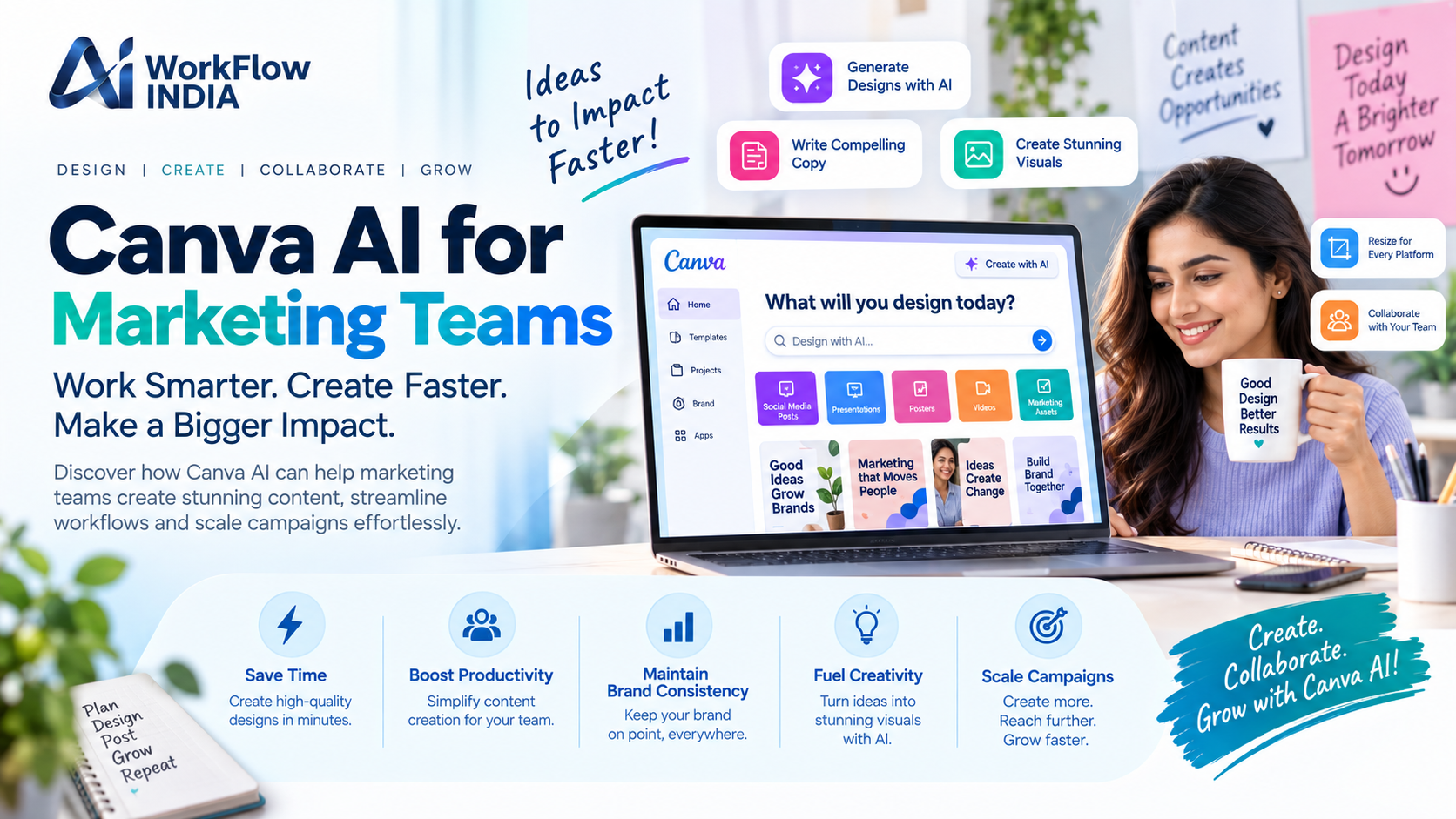
- Magic Write – Generate copy for ads, social posts, and marketing materials in seconds
- Magic Design – Turn a simple text prompt into a complete, branded design
- Background Remover – Perfect product photos instantly without Photoshop skills
- Magic Resize – Adapt one design to dozens of formats with a single click
- Text to Image – Create custom visuals from written descriptions
These aren’t just fancy features—they’re practical solutions to the daily challenges marketing teams face.
How Canva AI Tools Supercharge Campaign Creation
Let’s get specific about how these tools translate into real marketing wins.
Speed Up Social Media Content Production
Social media managers know the struggle of creating fresh content for multiple platforms daily. With Canva’s AI-powered tools, you can generate a week’s worth of Instagram posts in the time it used to take to create one.
Start with a single design concept, use Magic Resize to adapt it for Instagram, Facebook, LinkedIn, Twitter, and Pinterest—then let Magic Write suggest engaging captions for each platform. What used to take your team half a day now takes 30 minutes.
Create On-Brand Visuals Without a Designer
Not every marketing team has a dedicated graphic designer. Even if you do, they’re probably overwhelmed with requests. Canva’s AI design assistant helps non-designers create professional visuals that actually look good.
Simply describe what you need—”a modern Instagram post announcing our summer sale with blue and white colors”—and Magic Design generates multiple options to choose from. You pick your favorite, customize the details, and you’re done.
Maintain Brand Consistency at Scale
One of the biggest challenges for growing marketing teams is keeping everything on-brand. When multiple people create content, quality and consistency can suffer. Canva’s Brand Kit combined with AI features ensures every piece of content aligns with your brand guidelines automatically.
Your logos, colors, fonts, and brand voice stay consistent whether you have three team members or thirty creating content.
Getting Your Marketing Team Up to Speed with AI Design Tools
Implementing new technology is only valuable if your team actually uses it effectively. The good news is that Canva has designed its AI features to be incredibly intuitive. However, strategic training can help your team unlock the full potential of these tools.
Many organizations are investing in comprehensive AI training for marketing teams to ensure everyone understands not just how to use these tools, but when and why to use them for maximum impact. Proper training helps teams avoid common mistakes and discover advanced features they might otherwise miss.
Consider these steps for a smooth rollout:
- Start with one or two AI features rather than overwhelming your team with everything at once
- Designate an internal champion who can answer questions and share tips
- Create simple process documents showing how AI tools fit into existing workflows
- Schedule regular check-ins to share wins and troubleshoot challenges
- Encourage experimentation—the best way to learn AI tools is by using them
Real Marketing Use Cases for Canva AI Features
Let’s look at specific scenarios where marketing teams are seeing the biggest impact.
Email Marketing Campaigns
Creating email graphics used to require back-and-forth with designers. Now, marketers can use Canva’s AI-generated images and templates to create stunning email headers, promotional banners, and call-to-action buttons themselves. Magic Write can even help draft subject lines and email copy that converts.
Product Launches
Launching a new product means creating dozens of assets—website graphics, social announcements, press materials, sales sheets, and more. With AI-assisted design, teams can generate comprehensive launch materials in days instead of weeks.
Event Marketing
From webinar promotions to conference materials, event marketing requires quick turnarounds and lots of variations. Canva AI helps teams create cohesive event branding across all touchpoints while allowing for rapid iterations when details change.
Content Marketing
Blog headers, infographics, social quote cards, and Pinterest pins all benefit from AI design automation. Content marketers can focus on strategy and writing while letting AI handle the visual heavy lifting.
Best Practices for Using AI in Your Marketing Design Workflow
To get the most from Canva AI for marketing, keep these principles in mind:
Use AI as a starting point, not the finish line. AI-generated designs and copy are excellent first drafts. Always add your human touch, brand personality, and strategic thinking before publishing.
Be specific with your prompts. The more detail you provide to AI tools, the better results you’ll get. Instead of “create a sale graphic,” try “create a minimalist Instagram post for a 30% off summer sale featuring beachwear, using coral and white colors with modern sans-serif fonts.”
Build a library of winning templates. When you create something that works well, save it as a template. Over time, you’ll build a collection of AI-enhanced designs that can be quickly customized for future needs.
Stay updated on new features. Canva regularly releases new AI capabilities. Assign someone on your team to stay current and share updates with the group.
Measuring the Impact of AI on Your Marketing Output
How do you know if Canva AI tools are actually making a difference? Track these metrics:
- Time savings – How long does it take to create standard assets now versus before?
- Content volume – Are you producing more content with the same resources?
- Design requests – Has the backlog of design requests decreased?
- Team satisfaction – Do marketers feel empowered to create their own visuals?
- Brand consistency – Are fewer off-brand materials being created?
Most teams report 40-60% time savings on routine design tasks within the first few months of adopting AI design tools.
The Future of AI-Powered Marketing Design
We’re still in the early days of AI in marketing. The features available today in Canva’s AI suite will continue to evolve and improve. Smart marketing teams are building their AI skills now, creating a foundation that will serve them well as these tools become even more powerful.
Teams that embrace these technologies today will have a significant competitive advantage. They’ll produce more content, respond faster to market opportunities, and free up their human talent for high-level strategic work that AI can’t replicate.
Ready to transform how your marketing team creates content? Start exploring Canva’s AI features today, invest in proper training for your team, and watch your creative output reach new heights.
Frequently Asked Questions
Is Canva AI included in the free version?
Canva offers some AI features in its free plan, but most advanced Canva AI tools like Magic Write and Magic Design are available through Canva Pro, Canva for Teams, or Canva Enterprise subscriptions. The paid plans provide more credits and access to the full suite of AI-powered features that marketing teams need.
Can Canva AI replace our graphic designer?
Canva AI is best viewed as a complement to human designers, not a replacement. It excels at routine tasks, quick iterations, and helping non-designers create basic materials. However, complex branding projects, custom illustrations, and high-level creative direction still benefit from professional design expertise. Many teams find that AI handles 70-80% of routine work, freeing designers for more strategic projects.
How do I ensure AI-generated content stays on-brand?
Set up your Brand Kit in Canva with your exact colors, fonts, logos, and brand guidelines. When using AI features, reference your brand guidelines in prompts. Always review AI-generated content before publishing and make adjustments to align with your brand voice and visual identity. Training your team on brand standards ensures everyone maintains consistency.