
AI Automation for Small Business: 10 Tasks You Should Automate First

What if you could get back 10 hours every week without hiring a single new employee? Sounds too good to be true, right? Well, AI automation for small business is making this a reality for thousands of entrepreneurs worldwide.
Let’s face it. As a small business owner, you wear many hats. You’re the accountant, marketer, customer service rep, and everything in between. But here’s the thing—many tasks eating up your precious time can now run on autopilot. And no, you don’t need a tech degree or a massive budget to make it happen.
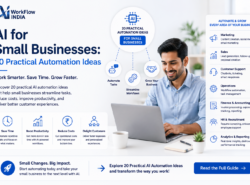
In this guide, we’ll walk through the 10 tasks you should automate business tasks first. These are practical, beginner-friendly automations that deliver real results fast.
Why AI Automation Matters for Small Businesses
Before diving into the specific tasks, let’s talk about why this matters so much right now.
Small businesses often struggle with limited resources. You have big dreams but a small team. Every minute counts. That’s exactly where AI for SME operations becomes a game-changer.
Here’s what smart automation can do for you:
- Free up hours spent on repetitive work
- Reduce human errors in data entry and communication
- Improve customer response times dramatically
- Scale operations without scaling costs
- Help you focus on growth instead of grunt work
The best part? Modern business automation tools are surprisingly affordable. Many are free to start.
10 Business Tasks You Should Automate First
Ready to save time with AI? Let’s explore the most impactful automations for your small business.
1. Email Responses and Follow-Ups
How much time do you spend typing the same emails over and over? Probably more than you realize.
AI-powered email tools can now:
- Draft personalized responses to common inquiries
- Send automatic follow-ups to leads who haven’t replied
- Sort and prioritize your inbox
- Schedule emails to send at optimal times
Tools like Gmail’s smart compose or dedicated platforms can handle this beautifully. You’ll never miss a follow-up again.
2. Social Media Scheduling and Content Creation
Posting consistently on social media is crucial. But who has time to post every day across multiple platforms?
With AI automation for small business social media management, you can:
- Schedule a month’s worth of posts in one sitting
- Generate caption ideas using AI writing assistants
- Automatically resize images for different platforms
- Track engagement without manual checking
Buffer, Hootsuite, and newer AI-native tools make this incredibly simple.
3. Customer Support with Chatbots
Your customers expect quick answers. But you can’t be available around the clock.
AI chatbots solve this problem elegantly. They can:
- Answer frequently asked questions instantly
- Collect customer information before you even speak with them
- Handle basic troubleshooting steps
- Book appointments directly into your calendar
The best chatbots today feel remarkably human. Customers often can’t tell the difference.
4. Invoice Generation and Payment Reminders
Chasing payments is awkward and time-consuming. Let automation handle this uncomfortable task.
Automated invoicing systems can:
- Generate professional invoices automatically after project completion
- Send polite payment reminders on schedule
- Track who has paid and who hasn’t
- Accept multiple payment methods
Tools like FreshBooks, QuickBooks, and Zoho Invoice integrate smoothly with most business setups.
5. Appointment Scheduling
The back-and-forth of scheduling meetings wastes everyone’s time. “Does Tuesday work?” “How about Wednesday afternoon?” Sound familiar?
Scheduling tools eliminate this dance entirely. Customers pick from your available slots. Done.
Popular options include Calendly, Acuity, and Cal.com. They sync with your calendar and send automatic reminders to reduce no-shows.
6. Data Entry and Document Processing
Manually entering data from forms, receipts, or documents is mind-numbing work. It’s also prone to errors.
AI document processing tools can:
- Extract information from invoices and receipts
- Transfer form submissions to your database automatically
- Organize files based on content
- Convert handwritten notes to digital text
If you’re new to automation and want guidance on getting started, check out this helpful resource on no-code AI for business owners. It’s perfect for entrepreneurs who want results without writing a single line of code.
7. Lead Generation and Qualification
Not every lead deserves your personal attention immediately. Some are ready to buy. Others are just browsing.
Business automation tools can score and qualify leads based on:
- Website behavior and pages visited
- Email engagement rates
- Form responses and survey answers
- Social media interactions
This helps you focus your energy on prospects most likely to convert.
8. Inventory Management
Running out of stock costs you sales. Overstocking ties up cash. Finding the balance manually is tricky.
AI inventory systems can:
- Predict demand based on historical patterns
- Alert you before items run low
- Automatically reorder from suppliers
- Track inventory across multiple locations
For product-based businesses, this automation often pays for itself within months.
9. Employee Onboarding
Hiring someone new? There are dozens of repetitive tasks involved.
Automated onboarding workflows can:
- Send welcome emails with important information
- Deliver training materials in sequence
- Collect necessary documents and signatures
- Schedule orientation meetings automatically
This creates a consistent experience for every new team member while saving you hours of coordination.
10. Report Generation and Analytics
Understanding your business numbers is important. But compiling reports manually? That’s a poor use of your time.
Modern reporting tools can:
- Pull data from multiple sources automatically
- Generate visual dashboards that update in real-time
- Send weekly summaries to your inbox
- Highlight anomalies that need your attention
You stay informed without spending hours in spreadsheets.
How to Get Started with AI Automation
Feeling overwhelmed? Don’t be. You don’t need to automate everything at once.
Here’s a simple approach:
Step 1: Track your time for one week. Note which tasks eat up the most hours.
Step 2: Pick one task from the list above that matches your biggest time drain.
Step 3: Start with a free or low-cost tool. Most have generous trial periods.
Step 4: Set it up, test it, and refine it over a few weeks.
Step 5: Once that automation runs smoothly, add another.
This gradual approach prevents overwhelm and ensures each automation actually works for your specific situation.
Common Mistakes to Avoid
As you begin to automate business tasks, watch out for these pitfalls:
- Over-automating too fast: Start small and scale gradually
- Ignoring the human touch: Some interactions still need a personal approach
- Setting and forgetting: Review your automations regularly
- Choosing complex tools: Simpler is usually better for small businesses
Remember, automation should support your business, not complicate it.
The Future of Small Business Automation
The tools available today are just the beginning. AI for SME applications are becoming more sophisticated every month.
Soon, small businesses will have access to AI capabilities that only large corporations could afford just a few years ago. Voice assistants that handle phone calls. AI that writes entire marketing campaigns. Systems that predict customer needs before they arise.
The businesses that start building automation habits now will have a significant advantage. They’ll be ready to adopt these advanced tools seamlessly.
Take the First Step Today
You now have a clear roadmap for using AI automation for small business success. The question isn’t whether to start—it’s which task to tackle first.
Look at your week ahead. Which repetitive task frustrates you most? That’s your starting point.
The time you save with AI and automation isn’t just about efficiency. It’s about reclaiming your energy for the work that truly matters. The creative projects. The customer relationships. The strategic planning that drives real growth.
Your future self will thank you for starting today.
Frequently Asked Questions
Is AI automation expensive for small businesses?
Not at all. Many powerful business automation tools offer free plans or affordable monthly subscriptions starting at just $10-20 per month. You can start with free tools and upgrade as your business grows and you see results from your automation efforts.
Do I need technical skills to set up AI automation?
No technical background is required for most modern tools. Platforms designed for AI automation for small business use drag-and-drop interfaces and simple setup wizards. If you can use email and social media, you can set up basic automations.
How long does it take to see results from business automation?
Most small business owners notice time savings within the first week of implementing automation. However, the full benefits typically become clear after 30-60 days, once the systems are fine-tuned to your specific workflows and you’ve developed new habits around them.
Related resources
- Explore our no-code AI automation training.
- More guides in AI Tools for Business.